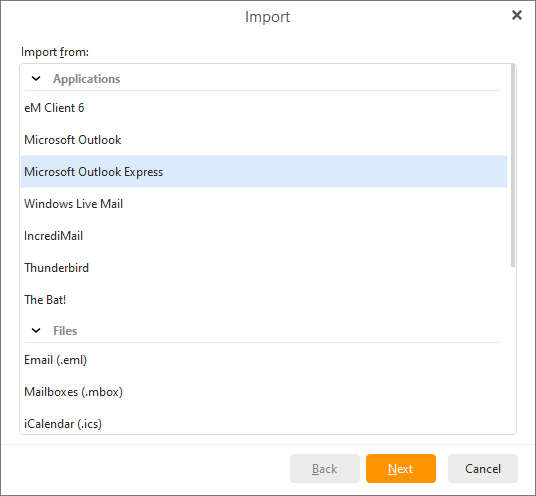
To import your emails from Microsoft Outlook Express select Menu ->File -> Import in the main menu:
Select the Import from Microsoft Outlook Express option and click Next:
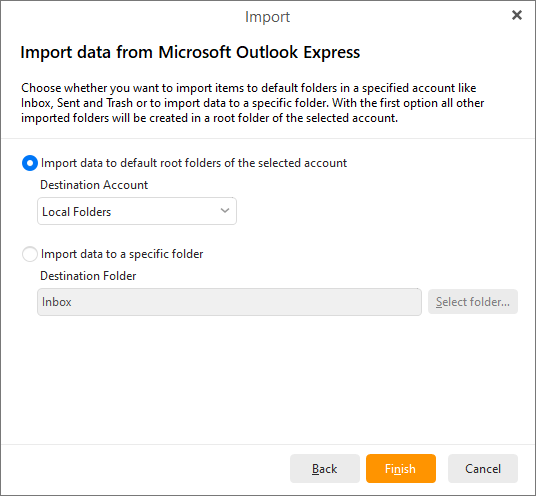
Here you can choose whether you want application to import data to default root folders of the selected account by choosing the destination account or you can specify the folder path by clicking the Select folder... button.
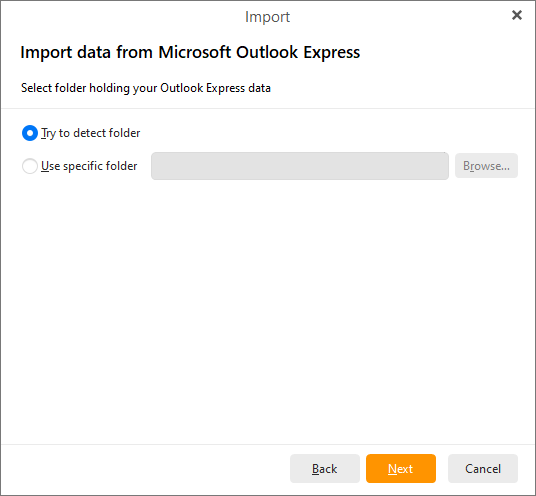
Next step is to select the folder which is holding your Outlook Express data. You have two options - you can try to detect folder automatically or specify the destination of the folder.
Click on Next to finish the process of importing data from Outlook Express.